Hotels & hospitality teams
Employee-specific QR codes, shared department pages, automatic tip sharing, and centralized reporting for hotels, inns, and hospitality groups.
Explore digital tipping for hotels →A clean page + QR code in minutes. No clutter. No hidden fees. Built for hotels and hospitality teams, musicians and venues, service professionals, community organizations, fundraisers — and anyone who earns appreciation. Collect tips, accept donations, or take payments. No app needed — guests pay with cards, Apple Pay, or Google Pay.

Give every employee a personal, hotel-branded QR code while management keeps centralized reporting. OpenTipJar includes automatic tip sharing, white-glove configuration, employee onboarding help, and complimentary design.
Used by hospitality teams at properties including






Start collecting tips, donations, or payments in under 5 minutes. No demos. No apps. No waiting.
Pick a username, add a photo, and you’re live in seconds.
Your page lives at opentipjar.com/you.
Download your QR code instantly. Print it, stick it, or share your link anywhere.
Start receiving tips right away. We handle payments and payouts automatically.
Need to split tips? Built-in team tip sharing.
OpenTipJar works for individuals, teams, businesses, and community organizations wherever a simple QR code can turn appreciation into support.
Employee-specific QR codes, shared department pages, automatic tip sharing, and centralized reporting for hotels, inns, and hospitality groups.
Explore digital tipping for hotels →Waitstaff, bartenders, valet teams, golf caddies, barbers, salon professionals, food trucks, and local businesses can accept tips without another app.
Bands, solo musicians, concert venues, performers, and event staff can share one memorable link or QR code with every audience.
Community events, chambers of commerce, local sports teams, clubs, and nonprofit causes can collect donations from supporters in seconds.
Follow along in your browser as we set up a new account, customize a tip page, and get a QR code you can print or share—no app or sales call required.
Customers still want to tip — they just don’t carry cash anymore. Keep the familiar jar and add a QR code that works instantly.
In the field, these all feel natural — a jar by the register, a small sign beside the POS, a thank you card you tuck into a bag or hand to a regular. Supporters see a clear invite to tip or donate, but it never feels pushy or out of place.
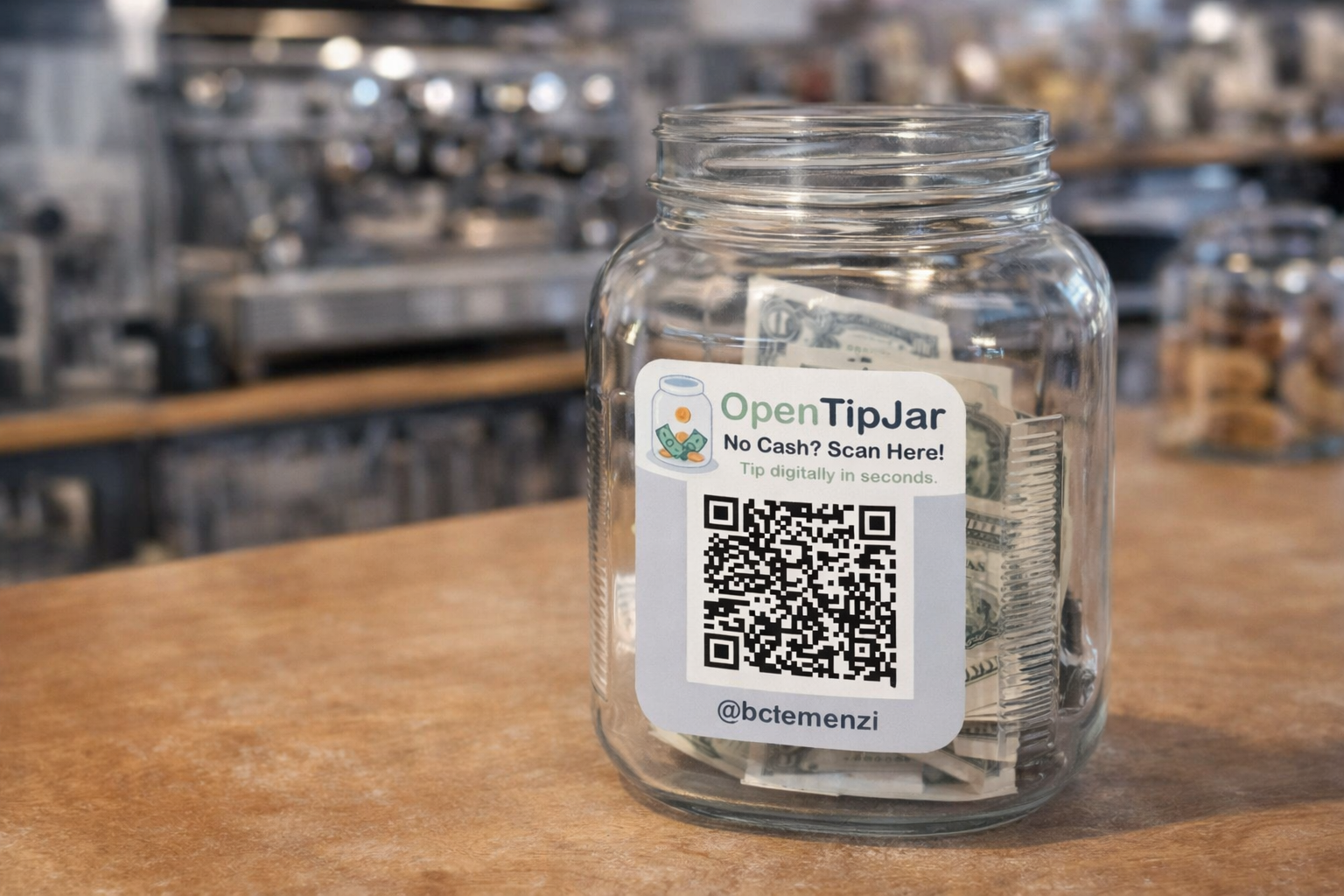
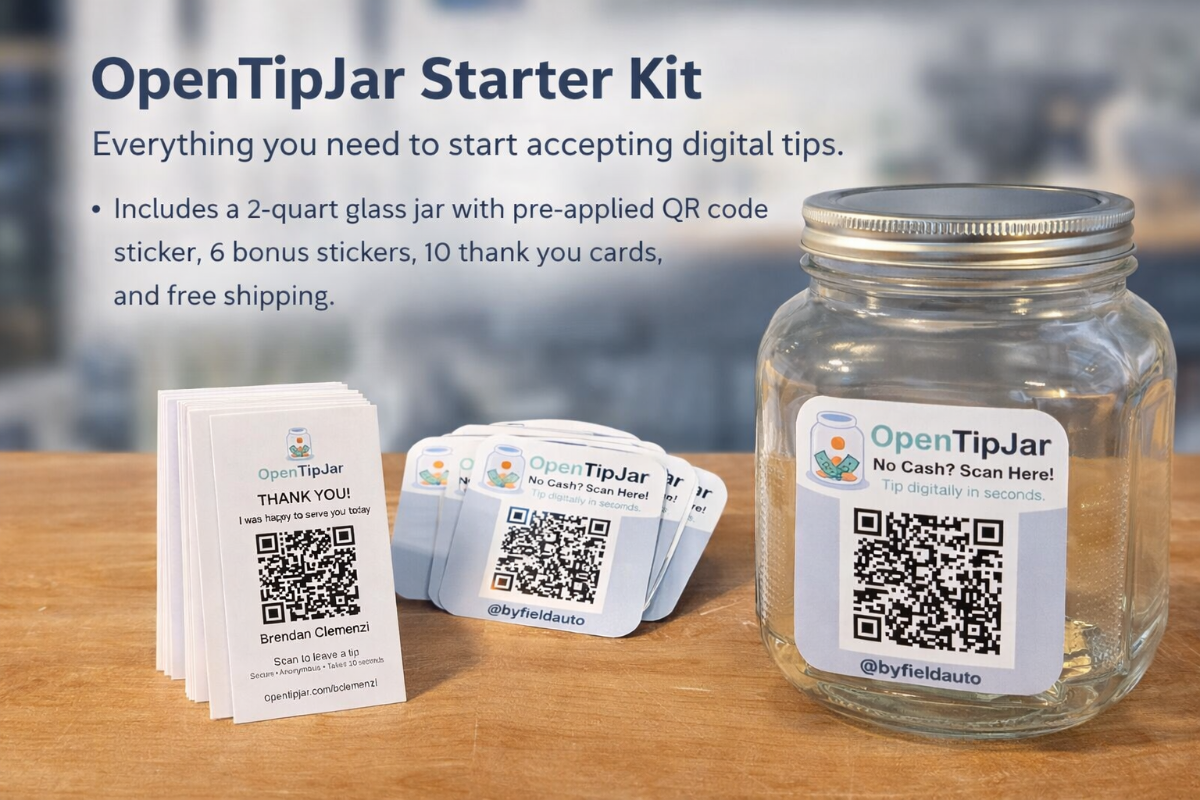
Perfect for coffee shops, barbers, nail salons, food trucks, hotels, hospitality teams, and more. We provide a real glass tip jar with your custom QR code and NFC tap-to-tip chip pre-applied - set it on your counter and start accepting digital tips immediately.
Each kit includes 6 bonus stickers for windows, doors, or additional locations.
No monthly fee. OpenTipJar only makes money when you do. No hidden fees—you always know what you'll pay. Fees include all payment processing costs.
Start collecting tips today — no setup cost, no commitment.
Per-transaction fees include all payment processing costs. No additional fees or charges. Most platforms take 8–10% total—we're transparent about our fees and you keep more.
Quick answers for the obvious questions.
Usually under 5 minutes: username, photo, bio.
No — they just click a button, enter their card, and they're done. No signup required.
All major credit/debit cards — plus Apple Pay and Google Pay (when available) — via Stripe.
Payouts are sent when you request them, once you have at least $5 available in your balance.
Yes. OpenTipJar works alongside tools like Venmo and Cash App. Think of OpenTipJar as your public, business-friendly tip page — safe to put on signs, jars, and social media. Venmo and Cash App are more like your personal payment details, similar to sharing a personal credit card or phone number, so you may not want to post those handles publicly.
Venmo and Cash App are great for personal payments. OpenTipJar is built specifically for public, business-friendly tipping.
It’s the difference between sharing a personal payment handle and having a dedicated tip page built for your business.
POS tip screens work — but they can feel awkward. They often ask for a tip before the service starts, with the cashier watching and waiting, and the preset buttons can feel aggressive (20%, 25%, 30%).
OpenTipJar makes tipping feel more natural: guests tip after the service, on their own time, with amounts that feel reasonable — no pressure at checkout. It complements your POS by giving customers another, more comfortable way to say thank you.
No—tips go into your OpenTipJar balance. You receive the tip amount minus our platform fee (5% + $0.40 per transaction). We handle payments securely and you request payouts on your schedule.
Payouts are sent when you request them (minimum $5 available balance per request). You can make up to 6 payout requests per month. To comply with U.S. tax reporting requirements, we may ask you to provide tax information, such as a completed W-9, before payouts are sent.
OpenTipJar uses Found.com to securely send payouts. When you request a payout of your available balance, you will receive a secure payments.found.com link from Found.com where you can choose how to receive your funds. Depending on eligibility, you can typically transfer to a debit card (often instant or near-instant), transfer to a bank account, use popular wallets like PayPal, Venmo, or Cash App, or open a Found account to receive your payout directly.
Yes. Many businesses use OpenTipJar as a shared or pooled tip jar for a group of employees. Guests tip into a single page, and you decide how those tips are distributed — whether that's evenly, by role, or based on shifts or hours worked.
You stay in control of the rules for splitting tips and how they're communicated to your team. OpenTipJar simply makes it easy to collect digital tips in one place and move them out through payouts to the account owner.
Yes. Teams, clubs, and other groups use OpenTipJar to raise money from supporters. For example, a school sports team might hand out business cards with a thank-you message and a QR code that links to their tip page so people can leave a donation. You set up one page, share the QR or link, and receive payouts the same way as other accounts.
Yes. OpenTipJar supports a Payments account type designed for small businesses and local sellers — home bakers, florists, craft sellers, pop-up vendors, and more. Instead of juggling payment apps or sending links, customers simply tap or scan and pay. No app required on either end.
OpenTipJar is required to comply with U.S. tax reporting laws. If you receive payments through the platform, your gross payments may be reported to the IRS on Form 1099-K when applicable reporting thresholds are met. Under current federal IRS guidance, Form 1099-K reporting generally applies when gross payments exceed $20,000 and there are more than 200 transactions in a calendar year, though some states may have lower thresholds and tax rules can change. You may still be responsible for reporting taxable income even if you do not receive a tax form.
Explore the OpenTipJar blog for simple, practical ideas on modern tipping, QR code jars, and how to make digital tips feel natural for guests.
Want more? Visit the full blog.
See new features, examples from real businesses, and tips for getting the most out of your tip page.
